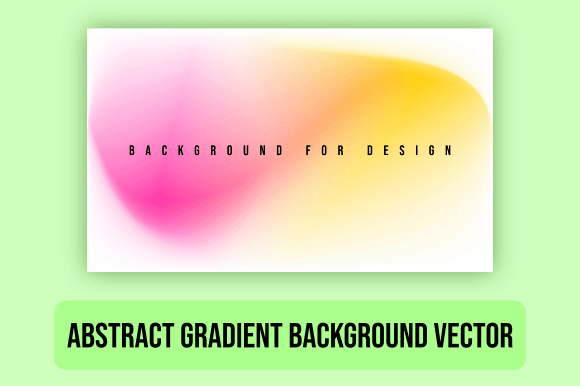
How to Use an Abstract Gradient Background Vector in Modern Design Projects
In the world of digital design, having a versatile and visually appealing background is essential. An Abstract Gradient Background Vector, especially one that blends purple and yellow colors, offers a unique way to elevate your creative projects. Whether you're working on branding materials, website banners, or social media templates, this type of vector illustration can add depth, style, and a modern edge to your designs.
What Is an Abstract Gradient Background Vector?
An Abstract Gradient Background Vector is a digital graphic created using vector illustration techniques. It typically features smooth transitions between two or more colors, forming abstract patterns or shapes. These gradients are not bound by rigid structures but instead offer fluid, artistic elements that can be easily customized for different uses.
The most common file formats for these vectors include .EPS, .SVG, and high-resolution .JPG (7500px X 4500px). The scalability of vector files makes them ideal for both print and digital applications without losing quality. This means you can use them across a wide range of sizes — from small icons to large billboards — with consistent results.
Why Choose Purple and Yellow Gradients?
Purple and yellow are powerful color combinations that evoke creativity, energy, and innovation. Purple often symbolizes luxury, wisdom, and imagination, while yellow represents optimism, clarity, and warmth. Together, they create a vibrant yet balanced palette that works well for many industries, including tech startups, creative agencies, and lifestyle brands.
- Contrast: The pairing of warm yellow with cool purple provides excellent visual contrast, making it suitable for text overlays and logos.
- Versatility: This combination adapts well to both minimalist and bold design styles.
- Emotional appeal: It can inspire feelings of both professionalism and playfulness depending on how it's used.
Applications Across Industries and Platforms
The flexibility of an Abstract Gradient Background Vector allows it to be used in various contexts. Below are some practical applications where such a background shines:
Websites and Online Marketplaces
Web designers frequently rely on abstract gradient backgrounds to make websites stand out. On online marketplaces like Shopify or Etsy, these backgrounds can enhance banners, hero sections, and product displays. Their dynamic nature helps draw attention without overwhelming users.
For instance, when designing a landing page for a new product launch, placing a purple and yellow abstract gradient background behind a clean headline can create a strong focal point. The subtle movement in the pattern adds a sense of motion and modernity, which is particularly effective in tech and e-commerce sectors.
Digital Wallpaper Backgrounds
If you're looking to personalize your workspace or home screen, an abstract gradient EPS file is a great choice. High-resolution JPG versions ensure crisp visuals on any monitor or mobile device, while SVG and EPS formats allow for easy resizing and editing.
These backgrounds are popular among professionals who want their screens to reflect a personal brand or mood. A purple and yellow gradient can serve as a daily reminder of creativity and motivation, especially for those in marketing, design, or content creation fields.
Business Cards and Thank You Cards
Traditional business cards are evolving, and now many designers incorporate abstract gradients to make them more memorable. Using an Abstract Gradient Background Vector in business card design gives it a contemporary look that stands out from standard flat-color prints.
Similarly, thank you cards benefit from these gradients by adding a touch of elegance and uniqueness. The soft blend of colors creates a warm and inviting aesthetic, perfect for appreciation notes or promotional giveaways.
Creating a Cohesive Brand Identity with Abstract Gradients
Branding is all about consistency and memorability. An Abstract Gradient Background Vector can become a signature element in your brand’s visual identity. It can appear on everything from social media headers to packaging, ensuring a unified look across platforms.
Here are a few tips for integrating these gradients into your brand:
- Use as a base: Apply the gradient as a background for your logo or key messages to highlight important content.
- Customize colors: While purple and yellow are striking, don’t hesitate to adjust the shades to better match your brand’s existing color scheme.
- Maintain readability: Ensure that text placed over the gradient remains legible by using contrasting fonts and proper spacing.
Real-World Examples of Use
Many successful brands have adopted abstract gradients in their marketing. For example, a startup launching a new app might use a gradient EPS file as the backdrop for its promotional video thumbnails or social media posts. This approach helps maintain a fresh and modern appearance that resonates with younger audiences.
Another case involves a fashion brand using the same gradient in multiple formats — EPS for editable assets, SVG for web use, and JPG for printed materials. This ensures that the brand’s visual identity stays consistent whether it's seen on a website, a business card, or an email newsletter.
Using Gradients in Webinar Presentation Slides and Ebooks
When creating presentation slides for webinars or educational content, the right background can significantly impact audience engagement. A purple and yellow abstract gradient background brings a sense of sophistication and vibrancy to slides, helping keep viewers interested throughout the session.
Ebook covers also benefit from these gradients. They provide a professional yet eye-catching look that can increase click-through rates. With an Abstract Gradient Background Vector, you can experiment with different layouts and layering options to find the perfect balance between art and information.
One advantage of using vector files like .EPS and .SVG is that they’re fully scalable. This means you can apply the same background to different ebook cover sizes without worrying about pixelation or distortion.
Design Tips for Effective Slide and Ebook Layouts
- Keep the layout simple: Don’t clutter the slide or ebook cover with too many elements.
- Focus on typography: Use bold, readable fonts that complement the gradient’s energy.
- Highlight key points: Place important information in areas of the gradient where it won't get lost in complex patterns.
- Test across devices: Make sure your design looks good on both desktop and mobile screens.
Optimizing for Social Media Templates
Social media is highly visual, and standing out in crowded feeds requires thoughtful design choices. An Abstract Gradient Background Vector can help you achieve that. From Instagram stories to Facebook banners, the versatility of these files makes them a go-to option for designers aiming to create cohesive and attractive templates.
Consider using the purple and yellow gradient for the following:
- Instagram post backgrounds with overlaid images or text.
- TikTok cover art to grab attention quickly.
- LinkedIn banner ads to convey professionalism with a creative flair.
Because these gradients are available in multiple file types, they can be adapted for each platform’s specific requirements. For example, you can export the SVG version for responsive web use or the JPG format for quick uploads to social media channels.
Practical Workflow Integration
Integrating an Abstract Gradient Background Vector into your workflow is straightforward. Here's how different teams might use it:
- Marketing teams: Repurpose the background across multiple campaigns, ensuring brand consistency while maintaining visual interest.
- Graphic designers: Use the vector file in Adobe Illustrator or other design software to tweak colors, opacity, or layer effects.
- Developers: Embed the SVG version directly into HTML or CSS for seamless integration into websites and apps.
This adaptability is one reason why abstract gradients are so popular in modern design workflows. They reduce the need to create separate graphics for different platforms, saving time and effort.
Choosing the Right Format for Your Project
Understanding which file format to use is crucial when working with an Abstract Gradient Background Vector. Here’s a breakdown of the most common ones:
- .EPS (Encapsulated PostScript): Ideal for print and high-quality output. Supports layers and vector paths, making it editable in most design software.
- .SVG (Scalable Vector Graphics): Perfect for digital use, especially on websites. Fully scalable and supports interactivity in certain environments.
- .JPG (7500px X 4500px): Best for static image needs. Offers a large resolution suitable for posters, banners, and digital displays.
Each format has its own strengths, so selecting the right one depends on your project's requirements. For instance, if you plan to edit the background further, go with .EPS. If you're embedding it into a webpage, .SVG is the best choice due to its lightweight and responsive nature.
Factors to Consider Before Downloading
Before downloading an Abstract Gradient Background Vector, consider the following:
- License type: Make sure the file is royalty-free or comes with the appropriate usage rights for your intended purpose.
- Resolution: Check if the JPG version meets your size requirements for print or digital display.
- Color accuracy: Preview the gradient in different lighting conditions to ensure it looks consistent across all mediums.
- File compatibility: Confirm that your design tools support .EPS and .SVG files for maximum flexibility.
Where to Find Quality Abstract Gradient Background Vectors
To access a high-quality Abstract Gradient Background Vector, explore reputable design marketplaces like Shutterstock, Envato Elements, or Adobe Stock. These platforms often categorize gradients by color, style, and use-case, making it easier to find exactly what you need.
Look for packages that include multiple file types — ideally one .EPS, one .SVG, and one .JPG (7500px X 4500px) — to give yourself the most options. Reading user reviews can also help determine which gradients perform best in real-world scenarios.
Cost vs. Value
While free resources are available, investing in a premium Abstract Gradient Background Vector often pays off in terms of quality and variety. Paid options tend to offer higher resolution, better color blending, and more refined abstract elements that align with current design trends.
Additionally, premium files usually come with clear licensing agreements, giving you peace of mind when using them in commercial projects like branding or online marketplace appearances.
Final Thoughts on Implementation
Whether you're designing for a website, webinar, or digital wallpaper, an Abstract Gradient Background Vector can bring a level of polish and creativity that sets your work apart. The blend of purple and yellow colors is especially effective for projects that aim to communicate innovation and positivity.
Remember to test the gradient in context before finalizing your design. Adjustments in brightness, contrast, or transparency may be necessary to ensure optimal visibility and aesthetics. With the right approach, this background can become a valuable asset in your design toolkit.